

Table of Contents
- Why Managing Legacy Software With Outsourced IT Beats Going It Alone
- Step 1: Assess Your Legacy Systems Before You Hand Over the Keys
- Step 2: Choose an Outsourced IT Partner Who Actually Supports Legacy Systems
- Step 3: Put Legacy Software Maintenance Best Practices in Writing
- Step 4: Address Legacy Software Security Risks Head-On
- Step 5: Plan Legacy System Modernization Without Breaking the Business
- Step 6: Execute Legacy Application Migration in Phases
- Common Mistakes When Outsourcing Legacy Software Support
- Frequently Asked Questions
Last Updated: October 14, 2026
Why Managing Legacy Software With Outsourced IT Beats Going It Alone
Legacy software is any business-critical application, server, or database that still runs your operations but no longer receives updates from its maker. Many small and mid-sized businesses in the Dallas/Fort Worth area still run at least one of these systems daily. Managing legacy software with outsourced IT gives you specialists who know these platforms, without hiring them full-time. This guide from A PC Geek walks through six practical steps, from assessment to phased migration.
Step 1: Assess Your Legacy Systems Before You Hand Over the Keys
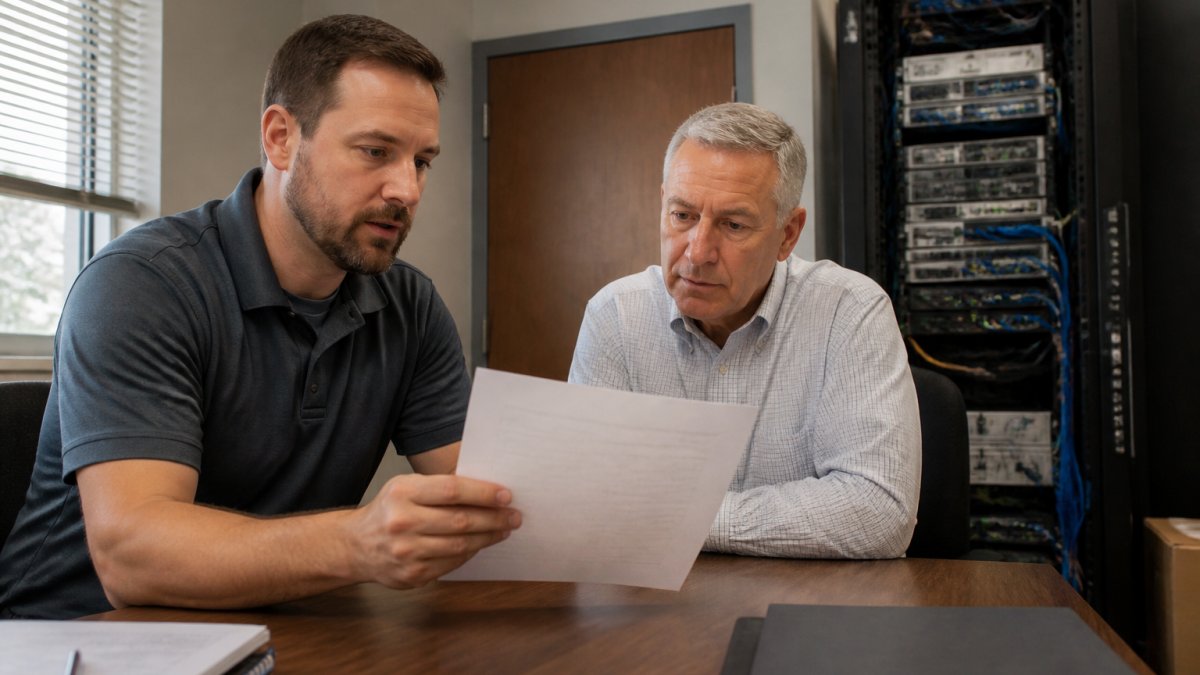
You cannot hand off what you have not mapped. Start with a full inventory, then triage each system by risk and business value.
Build a Legacy System Inventory
List every older application, server, and database your team touches. For each one, record:
- What it does and who uses it
- The hardware it runs on and its age
- Whether the vendor still offers end-of-life support
Triage: Which Systems Stay, Which Get Replaced
Not every legacy system needs replacing. Some just need better care. Sort each item into three groups:
| Category | Action | Typical Examples |
|---|---|---|
| Keep and maintain | Patch, monitor, document | Stable databases, custom line-of-business apps |
| Replace soon | Plan phased migration | Unsupported Windows Server, aging mainframe links |
| Retire now | Decommission | Redundant tools, unused COBOL modules |
A common mistake is treating every system as equally urgent. It rarely is.
Step 2: Choose an Outsourced IT Partner Who Actually Supports Legacy Systems
Most managed IT providers build their stack around modern cloud workloads. Far fewer keep real bench depth in older platforms such as IBM i (AS/400), OpenVMS, HP-UX, AIX, COBOL and RPG codebases, or custom line-of-business applications whose original author is long gone. The keyword here is outsourced IT, so the provider decision is not a footnote, it is the whole game.
Separate the Capabilities You Need
Legacy support is not one skill. Before you shortlist anyone, decide which of these you are actually buying:
- Break/fix support for hardware and operating systems the original vendor no longer patches
- Application-level support for custom or vendor-abandoned software, including source-code changes
- Integration work to connect aging systems to modern APIs, identity providers, and reporting tools
A provider strong in one is not automatically strong in the others. Ask which of these they perform in-house versus subcontract.
Questions That Separate Real Depth From Sales Copy
- Which specific legacy platforms do your technicians support today, and how many current clients run each?
- Can you name the engineers who would touch our systems, and how long have they worked on these platforms?
- How do you document application dependencies and tribal knowledge when the original developer is unavailable?
Get the answers in writing and attach them to the contract as a statement of work. Verbal assurances about “full support” evaporate the first time a legacy server fails at 2 a.m.
Define Shared Responsibility Explicitly
Outsourcing does not transfer accountability, it splits it. Write down who owns each of the following, by name and by role:
| Responsibility | Typical Owner | What to Confirm |
|---|---|---|
| Administrative credentials and privileged access | Client retains vault ownership; provider gets time-bound, audited access | Break-glass procedure and revocation process |
| Documentation and runbooks | Provider maintains; client owns and receives copies | Update cadence and format |
| Backups and restore testing | Provider executes; client verifies | Restore test frequency and evidence |
| Incident response and escalation | Joint; provider leads technical, client leads business decisions | Named contacts and response windows |
| Change approvals | Client approves; provider proposes | Change advisory process and rollback plan |
| Patch and compensating controls | Provider recommends and applies where possible | Coverage reporting for unpatchable systems |
| Vendor and license management | Assigned to one party in writing | Renewal calendar and cost pass-through rules |
If a row is blank, that is where the finger-pointing will happen.
Access Controls You Should Not Delegate Blindly
Even when a provider runs day-to-day operations, keep these under your control:
- Root or domain-admin credentials stored in a vault you own
- Multi-factor authentication on every administrative path into legacy systems
- A documented break-glass account the provider cannot alter
Governance Rhythm
Selection is not a one-time event. Set a cadence: a monthly operational review of incidents and changes, a quarterly review of access, patch coverage, and backup evidence, and an annual strategy session on what to stabilize, replace, or retire. Put the cadence in the contract so it survives staff turnover on either side.
Step 3: Put Legacy Software Maintenance Best Practices in Writing
“Best practices” only matter if they are measurable. Legacy software maintenance belongs in a service-level agreement (SLA) with numbers attached, not adjectives. Vague language like “prompt response” and “reasonable efforts” gives you nothing to enforce at renewal time.
Metrics Worth Writing Into the SLA
Pick measures that reflect how legacy systems actually fail, quietly, and often outside business hours.
| Metric | What It Measures | Why It Matters for Legacy Systems |
|---|---|---|
| Availability / uptime | Percentage of agreed service window the system is reachable | Unsupported hardware fails more often; uptime is the baseline promise |
| Incident response time | Time from ticket to first human acknowledgment | Aging systems often need a specific engineer, not a queue |
| Incident resolution time | Time from acknowledgment to restored service | Distinguishes “we answered” from “we fixed it” |
| Patch coverage | Percentage of patchable components current | Some components cannot be patched; report on the rest |
| Compensating-control coverage | Percentage of unpatchable systems with isolation, monitoring, or virtual patching in place | The honest substitute for patching |
| Backup success rate | Percentage of scheduled backups completed and verified | A backup that has never been restored is a hope, not a control |
| Recovery time objective (RTO) | Target time to restore service after failure | Drives the continuity plan, not just the ticket queue |
| Recovery point objective (RPO) | Maximum acceptable data loss measured in time | Sets backup frequency for each system |
| Change failure rate | Percentage of changes that cause an incident or rollback | Reveals whether the provider’s change process is safe |
| Mean time to restore (MTTR) | Average restoration time across incidents | The number your board will eventually ask about |
Set separate targets for business-critical systems versus the rest. A payroll database and an internal reporting tool do not deserve the same RTO.
Business Continuity and Disaster Recovery for Unsupported Platforms
Systems that cannot be readily replaced need a continuity plan that assumes the worst. At minimum:
- Tested backups. Schedule restores on a fixed cadence and keep the evidence. An untested backup is not a recovery plan.
- Defined RTO and RPO per system. Write them down and confirm the provider can actually meet them.
- Documented recovery runbooks. Step-by-step, current, and stored somewhere you can reach without the provider’s help.
Ask your provider to segment legacy systems onto their own network zone with restricted east-west traffic. If one unpatchable system is compromised, the rest of the business stays isolated.
Change Control and Documentation
Every change to a legacy system should follow a written path: request, risk assessment, rollback plan, approval, execution, verification. Documentation must be updated as part of the change, not “later”, later never comes, and the next engineer inherits a mystery. Require the provider to hand over runbooks, dependency maps, and credential inventories in a format you can read without their tools.
Contract Mechanics That Protect You
- Scope clause listing every legacy platform by name, so nothing falls outside coverage by accident
- Escalation matrix with named contacts and time windows, not a generic support line
- Termination and transition assistance requiring documentation, credential return, and knowledge transfer
For structuring security and privacy controls around these agreements, see NIST guidance on security and privacy controls.
An SLA without numbers is a marketing document. Availability, response and resolution times, patch and compensating-control coverage, backup success, RTO, RPO, and change failure rate are the metrics that turn “best practices” into something you can actually enforce.
Step 4: Address Legacy Software Security Risks Head-On
Legacy software security risks grow every month a system goes unpatched. Unsupported software stops receiving fixes, so known flaws stay open. Common exposures include:
- Missing security patches
- Weak or shared passwords
- No multi-factor authentication
- Flat networks that let one breach spread
Your outsourced team should isolate these systems, restrict access, and monitor them closely. According to CISA’s guidance on securing outdated technology, unpatched systems remain a top target for attackers.
Ask your provider to segment legacy systems onto their own network zone. If one gets hit, the rest of your business stays protected.
Step 5: Plan Legacy System Modernization Without Breaking the Business
Legacy system modernization does not mean ripping everything out at once. The safest path is staged replacement: move one function at a time, test it, then move the next. Keep the old system running in parallel until the new one proves stable.
Start with systems that carry the highest risk or the highest support costs. Leave stable, low-risk platforms alone until their turn comes.
Step 6: Execute Legacy Application Migration in Phases
Legacy application migration works best in phases, not one big cutover. A practical sequence:
- Back up all data and confirm the restore works
- Set up the new environment and test it
- Move a small user group first
- Fix issues before expanding
- Retire the old system only after full sign-off
Expect some disruption. Planning for it beats being surprised by it.
Common Mistakes When Outsourcing Legacy Software Support
The costliest mistakes are predictable. Watch for these:
- No written inventory before handover
- Contracts that exclude legacy platforms
- Skipping backups before migration
- No disaster recovery plan for unsupported systems
Treat your outsourced provider as a partner with shared responsibility. Clear access controls, written SLAs, and regular reviews keep legacy systems stable and accountable.
Frequently Asked Questions
How can outsourced IT support help manage legacy software?
An outsourced IT provider takes over day-to-day maintenance, patching, and monitoring of your legacy software so your internal team can focus on core operations. They document application dependencies, set up monitoring for system downtime, and act as your vendor liaison when original developers are unavailable. For businesses without a full IT department, this means business-critical systems stay running without hiring specialized staff. A good provider also builds a phased plan for eventual modernization, so you are not stuck maintaining unsupported software indefinitely.
What are the biggest legacy software security risks?
The main risks are end-of-life support, unpatched vulnerabilities, and lack of vendor accountability. Once a vendor stops issuing security updates, any newly discovered flaw stays open, and attackers know it. Legacy systems often run on older operating systems like Windows Server versions that no longer receive patches, and they may lack modern access controls. Combine that with data integrity concerns and you have a system that is both a security vulnerability and a compliance problem. Regular vulnerability scans and network segmentation reduce but do not eliminate these risks.
When should a business replace or modernize legacy software?
Start planning replacement when the vendor announces end-of-life support, when maintenance costs exceed the cost of a modern alternative, or when the system blocks a business process you need. Other triggers include repeated downtime, inability to integrate with current tools via APIs, and security audits that flag unsupported software. Modernization does not always mean a full rip-and-replace. A phased migration or middleware layer can extend the life of a working system while you move data and workflows to a supported platform at a manageable pace.
What should an IT provider include in a legacy software support plan?
A solid support plan should spell out response and resolution times for business-critical systems, a named point of contact, and a clear escalation path. It should cover patching where possible, monitoring for system downtime, backup verification, and disaster recovery testing. Ask for measurable KPIs like uptime percentage and mean time to resolve, plus a quarterly review of the legacy system inventory. Make sure the agreement addresses what happens if the provider cannot fix an issue, and who owns the documentation if you change providers later.
Legacy systems can keep running your business safely, but only with the right partner watching them. At A PC Geek, we have supported small and mid-sized businesses since 2001 with flat-rate managed IT, proactive desktop monitoring, and network security built for older platforms. Our team handles the assessment, maintenance, and phased migration so your operations keep running. Contact us today to see how we can keep your legacy systems secure and supported.